Showing posts with label computer. Show all posts

Monday, April 28, 2014

Gear for New Zealand - Electronics

Because the NZ trip was kind of a big deal, I decided that we should make some gear investments to make this trip successful and well-documented.

Computing
My 15" MacBook Pro has held up pretty well since before B was born. But it is rather large and has poor battery life these days. I decided not to bring it at all. Hilary's 13" white MacBook is nearly as old, but is creekier. She was due for an upgrade. She'd had her eye on a zippy and svelte MacBook Air as a replacement. This, I deemed, we would buy beforehand and use as our primary machine on the road. By getting an Apple refurb, I was able to get a top-of-the-line model for basically the same price as the custom-spec model I was configuring.

Being brand new, and lacking any moving parts (no optical drive, flash instead of a spinning HDD), its battery life is stellar. This is a good thing, since we were only able to recharge it in the campervan when we were plugged into "shore power". We managed to travel from LA through Day 2, though, on less than half a charge.

On the road, the machine contained all of Hilary's immense trip-planning research and references. It also served as the repository for our many pictures and video (with the originals kept on the SD cards). It is also from this machine that we did our blogging on.

We also brought our iPad, thinking that it could be a secondary computing device. We even went so far as to bring a bluetooth keyboard for it. In the end, the iPad was used mostly for B to watch the occasional movie on the road (The Incredibles was her favorite). We did also use it for some internet stuff.

Connectivity
Hilary and I brought our respective iPhones, unlocked, and purchased pre-paid plans through Telekom NZ. The kiosk at the airport was fast and efficient, and had us set up in about 10 minutes. For about $17, we each had a modest allowance of local minutes and texts, plus 500 MB of cellular data. Although there were WiFi hotspots here and there, we found them to often be congested and slow, so we would often use the cellular data to connect. Because NZ has genuine competition (perish the thought!), we could use our phones as mobile hotspots, meaning that we could use them to provide internet connectivity to the MacBook Air or iPad.

As a result, we burned through the data pretty quick. We re-upped another 500 MB apiece, then some more, and some more. In the end, I think we used something close to 6 GB of data. But, again, because NZ has genuine competition, the cost was quite modest - easily half of what you'd expect in the States. Getting our phones back on their domestic networks when we returned stateside was easy-peasy.

We also purchased an additional plan for H that gave her 100 international minutes and texts. With it we were, for instance, able to call my mother to wish her a happy birthday from halfway across the world. Figuring out the correct time and day for the call was surprisingly challenging. The ability to have a handheld device and casually call up someone so far away still blows my mind. (we tried both Skype and iChat for the birthday wishes, but ran into technical difficulties.) Hilary and B also called me once I was back stateside.

Still Camera
Our family's still camera had for many years (since well before Brynna) been a very pocketable, 8-MP, Canon point-and-shoot. Somewhere in the last few years it received a few too many knocks (probably from small fingers fumbling it) that has made it so that it cannot hold the whole frame in focus. For this trip, an upgrade was called for.

I thought about a DSLR or micro four-thirds for top image quality. However, I know enough about my own photog abilities and how we would actually use the camera to know that this wasn't the way to go. My fear was that a big camera would become a camera unused - a heavy burden rather than an oft-used convenience.

Rather than let our iPhones become how we document this trip, I decided a good-but-not-unwieldy point-and-shoot would be the way to go. My requirements were:

  1. good image quality (through a combination of large sensor and good glass, megapixels are largely irrelevant),
  2. small enough to pocket (again, if it's too big, it won't get used),
  3. fast and responsive UI (shuttle lag sucks!),
  4. Manual controls, because even though I'm not really a photographer, I don't always want what the automatic modes produce
  5. 1080p60 video capture, preferrably not in some obscure codec. (I didn't do any video editing on the roadI don't think I'll be doing a lot of video editing on the road (it takes time), but eventually I'll put some stuff up)

I came very close to getting a Sony RX100 II, which most everyone agrees is the very best compact point-and-shoot on the market at the moment. Its image sensor is enormous - comparable to what you'd find in an entry-level DSLR, and it's combined with "fast" glass. These combine for excellent light gathering ability, which is the first key step for image quality.

I went to an actual brick-and-mortar photography store and handled one. It's nice, and its bona fides are not in question. But it is about $250-300 more than its competitors. Its fold-out screen was nice, but I feared it would be snapped off easily. Compared to the camera it is replacing, this thing is huge (3-4x the volume) - it would sit heavily in a pants pocket. I was not particularly sold on the manual controls, either. Other functions, like the ability to add a hot shoe, would be like owning a car that can do 150 mph but is only ever used for highway driving. In short, I worried that this particular camera would become an expensive bauble that is rarely used on the fly.

Instead, I settled on an open-box Canon S120. Being from Canon, it shares some of the UI of the camera it replaces. The clicky ring around the lens barrel can be used for various manual, DSLR-like functions. The built-in WiFi may or may not be useful (I downloaded the iOS remote app, but didn't use it at all on the road). Although it is physically larger than the camera it replaces, it is not such a lug as the RX100 II. Plus, was a few hundred dollars less expensive.

To my great relief, I have been most satisfied with this purchase - no pangs of buyer's remorse. The automatic features produce great results (as you have seen), whether I the engineer or H the non-techie is behind the lens. It feels a bit large when in a pants pocket, but not uncomfortably so. Most of the trip it resided in a pouch on my belt. I enjoyed tinkering with the manual controls. Some of the built-in scene modes have been useful - the stellar example being capturing glowworms in a cave or the awesome night sky by using the tripod-mounted, long exposure, star capture mode.

With this camera I purchased a high-quality 32-GB SD card for storing the images. It returned to the U.S. with less than 2 GB free, indicating that, yes, we did indeed use it!

(given the relatively low cost of the replacing the card, and the very high value of these pictures, I'm going to put this card in a safe place and just buy a new one for the camera going forward. This is in addition to having pictures on Hilary's computer, some on my computer, and both backed up.)

Video Camera
New Zealand is a place of wild sports - places not to trust a point-and-shoot. We didn't do bungee jumping, but there was paragliding, swimming, and waterfalls to contend with. Knowing this, I decided to also spring for an action camera. In this product category the clear favorite is the GoPro. This small, rugged camera in a waterproof case gets lots of use by surfers, kayakers, skydivers, extreme skiiers, and all manner of other crazies. Check out some of their videos on youtube - it's great stuff.

Still, it's a pricey piece of kit that may or may not have gotten a whole lot of use. New, at retail, I would have gotten the Hero3+ Silver Edition, because it's around the price point I could justify ($299) and captures at 1080p60. However, I had heard some mixed reviews online about changes to the lens in the 3+ versus its predecessor, the Hero3. Perhaps something on the used market would be a better fit. Craigslist comes through again! For $350 I purchased a lightly used Hero3 Black Edition, last year's top-of-the-line model, with a whole boatload of accessories and a 64 GB card, from a guy in Massachusetts. It arrived two days before we left, so I didn't have a whole heck of a lot of time to figure out how to use it until we arrived in-country.

In New Zealand, once I figured out how to work the thing, I used it a bit here and there. I used it to get video swimming up to and behind a waterfall, of B having a blast on a zipline, timeline shots of twisty roads near Cape Reinga, glissading down the scree slope of a volcano, traveling by ferry to the South Island, leaping into an icy river, fog rolling on the Franz Josef glacier, all alone on Key Summit, going under Stirling Falls, and clouds cascading over a ridge at Aoraki National Park. Due to bandwidth constraints, I didn't upload any video while we were on our trip. It's still on the to-do list for the near future.

Saturday, March 24, 2012

Creaky Computer

While watching a youtube video the other night, I was struck by the notion that my laptop wasn't handling it very well. It was stuttering, getting hot, and generally have a hard time keeping up. I don't think it was the internet connection itself (but I have my eye on you, Comcast!). But, it couldn't be my computer, right? I mean, it's not like it's all that old.

To remind myself of when I got this computer, I searched through this blog's archives and discovered that, somewhat to my surprise, my laptop is a hair over four years old. Well. Damn.

To be true, the machine has been collecting a few cobwebs. In addition to having difficulty handling a 720p stream from youtube, it also takes quite a while to load some programs. I could chalk that up in part to the some sluggish (by present standards) performance of my 250-GB harddrive, which is 80% full. The battery only provides about 90 minutes of surfing, or perhaps 40 minutes of video conferencing. There's an intermittent problem that's cropped up in the last year where the keyboard and/or mouse will stop responding, sometimes mid-sentence. This is a situation that is almost, but not always, fixed by putting the machine to sleep and re-waking it. It's been increasing in frequency, such that it now happens several times an evening. (I have a suspicion that the flex cable or ZIF connector that connects these components to the internal USB bus is kinda flaky, something that has been talked about on the apple forums, but not with any surefire fix).

But I sense it doesn't want to get on the cart yet. The keyboard/mouse issue could, hopefully, be fixed by replacing the top deck. New, longer-lived batteries are an easy replacement. The hard drive and RAM can be boosted. All of these can be done for much, much less than the cost of a new 15" MBP. We'll see how it goes.

Wednesday, November 2, 2011

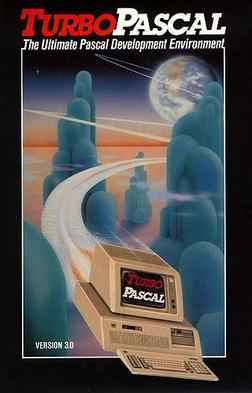
Turbo Pascal

Back in high school, the late 90s, I took the AP Computer Science course. It was taught in a long-since-defunct language called Pascal. It was old then, but for its time, Pascal was hot shit: a much more powerful and flexible language than BASIC (which I picked up one summer punching on my parents' Commodore64), but a step below more modern, object-oriented languages such as C++ and Java, which were hitting their stride then, but can be a bit more abstruse for teaching basic programming concepts.


We coded Pascal using the an Integrated Development Environment (IDE) and compiler from Borland called Turbo Pascal. Version 3, the first version that became widespread, released 25 years ago. At the time, software wasn't "downloaded," and most of it wasn't "installed": it was run from these funky things called "floppies". Not them new-fangled 3-1/2" ones, mind you, that aren't even floppy, I mean the flimsy 5-1/4" ones. These floppies had a maximum capacity of 100-300 kB. One thing that made Turbo Pascal awesome was that it came on a single disk, because the entire programming language, compiler, and IDE fit into a paltry 39,731 bytes. That may have been sizable for its time, but 39 kB is minuscule today - you can't even create a Word document of a single sentence in that much space.

What else is Turbo Pascal 3 smaller than? John Hague of the blog Programming in the 21st Century puts it in perspective. Excerpted here:

  • The yahoo.com home page (219,583 bytes).
  • The image of the white iPhone 4S at apple.com (190,157 bytes).
  • The touch command under OS X Lion (44,016 bytes).
  • The Wikipedia page for C++ (214,251 bytes).
In truth, I actually took APCompSci twice in high school. I wasn't terribly satisfied with the 3 (out of 5) that I got on the final that first year. By the time I was a senior the AP curriculum had shifted to C++, a thoroughly modern language that drives huge amounts of software past, present, and future, and I had an open slot in my schedule. That year I got a 5. Thanks, Mr. Sutera!

Tuesday, January 6, 2009

Wireless Fun

As an engineer and a reasonably tech-savvy person, one would think that a task like setting up a wireless router wouldn't be that big a deal. I, at least, would like to think that a wireless router would be well within my capabilities after five years of engineering training, three degrees, and several years' work experience.

History, however, would tend to prove me wrong. It is not that I am incapable of or daunted by the task - it's something quite simple that I could walk anyone else through. It's just that, for whatever reason, this overwise simple task has too often turned out to be anything but.

There was the time, several months into Hilary's first year, I was asked to configure a classmate's Linksys WRT54G (the most ubiquitous wireless access point in the world). Two or three hours later, however, I think we concluded that the router needed to be returned, and the classmate's laptop's network settings had to be re-imaged by the school.

Then there was the time I tried to get my sister's wireless set up, about two years ago. Again, failure.

Or the time about six months ago when my in-laws asked me to set up an Apple Airport Express to extend their existing wireless network (which I had also struggled to set up, and have occasionally had to debug by telephone). I managed it, but it again took two or more hours and several start-to-finish attempts. I'm still not convinced that there isn't still some conflict between the two base stations that causes laptops' connections to drop out periodically.

About the only network I've had total ease and success with was my first: the one I set up back before we even came to Minnesota. That setup was with another Airport Express, back when they first came out. That was a cinch, truly. We brought it with us to MN, plugged it in as soon as the internet service was activated, and were set to go in about 30 seconds. I brought that handy block with me each time I visited Hilary and Arizona - just plug it in and go.

However, that trusty router, all set up just the way I liked it, is no longer here in MN. I overnighted it to Hilary in New Hampshire because it seemed the easiest and quickest way to get wireless set up in the new apartment. Why we didn't think to bring it with us I don't know. Given the history I have just described, I didn't relish the idea of walking Hilary through the setup of a new, out-of-the-box router. So, off in the mail it went. They received it this afternoon and have done just fine.

Anyway, this left me with a problem: either live chained to an ethernet cable for the next 2+ months or go out, buy, and configure a new wireless router for myself. Despite my foreboding about an evening wasted in frustration, it should come as no surprise that I opted for the latter. I simply couldn't abide the hardship of a wired connection.

I am currently cruising craigslist for a used Airport Express, but didn't feel like waiting. Desiring more instant gratification, I bought a different router this evening - another Linksys WRT54G, in fact. If craigslist pans out in the next week, I'll return the linksys. If not, then, well, the WRT54G certainly works and is immanently hackable.

And wouldn't'cha know, at long last, this time I had success setting it up the first time. No problems.

Friday, September 5, 2008

Who's My Pretty Baby?


Some fun dancing with Brynna, captured with our new Flip Mino camcorder.

The latest addition to my gadget arsenal, the Flip is to video cameras what point-and-shoots are to SLRs. Very few controls, automatic everything, stripped down and simplified user interface, resulting in a very simple and compact device that is perfectly adequate for for 75% of tasks.

Expect to see some more as I play around with this new toy. I've got video from the State Fair that I hope to play around with this weekend.

Wednesday, March 19, 2008

The Face, or the Computer?

From TechCrunch:

Viewers of the Charlie Rose show tonight were stunned to see the normally composed Rose looking like he’d just been in a bar fight. He has a very bad black eye and a bandage over part of his forehead. I contacted the show’s producers to hear what happened. Earlier today, they said, Rose tripped in a pothole while walking on 59th Street in Manhattan. He was carrying a newly purchased MacBook Air and made a quick (but ultimately flawed) decision while falling: sacrifice the face, protect the computer. “In doing so, he pretty much hit the pavement face first, unfortunately,” they said.

Luckily the MacBook Air survived the fall. “The Macbook Air is fine, he showed us the blood stains on it this morning.”

As Wired's news blog noted, you could sacrifice the computer: it might not break, and it'll have a cool battle scar. Or, you can sacrifice your face: it might not break, and it'll have a cool battle scar.

As for myself, I was once confronted with a similar dilemma, and I chose the third road - sacrifice both. It's definitely cooler. One time I was rushing to catch a parking lot shuttle at the Manchester airport, slipped on some ice, and went sprawling. It was the start of spring break in New Hampshire, after all, which means plenty of ice. I was on my way to sunny southern California.

I ended up checking in and heading through security with my pants torn rather bad at the knee, and feeling blood dripping down my shin. After I passed security, I cobbled together a bandage of kleenex and scotch tape (wrapped around the outside of the pants, which were a lost cause anyway). These materials were what I could find from a newsstand.

And yet, despite my troubles, my computer still got bent out of shape, literally. Remember that it had a metal frame and case, and one corner of it was bent up towards the screen nearly a centimeter. I couldn't get a disc in or out until I'd bent back flat over my knee. (and yet, despite that abuse, it continued working just fine to this day, only recently retired).

So, Charlie, count yourself lucky.

Monday, March 10, 2008

New Laptop


I've had a few days to play around with my new machine, and I love it. It's so sleek, so zippy, and so capable. It exhibits no hesitation whatsoever, even when I have many applications open at once. The larger screen is nice, and is incredibly bright compared to my previous machine. The keyboard is essentially the same, which is good, because it feels smooth and types well without fatigue. I have yet to really tax the battery, but I imagine that it would outlast my ability to write about it at least. The Migration Assistant built into OS X made transferring and setting things up pretty easy. I can probably avoid filling this new hard drive for a good long while. I have no need to do a raindance to get my iPhone to sync up.


It is certainly a larger machine - not nearly as compact as my previous. That's mostly OK, because my portability needs aren't as great as they were when I was in college. We'll see how it handles on an airplane, but that probably won't be for a good long while. I have most of my old apps moved over to the new machine, and a few new ones, too. For instance, I have Keynote, apple's answer to PowerPoint, which I will tinker with a bit in the next few weeks.

My previous computer, when I first received it and it was new and fast and not full and had a good battery, I christened "Shadowfax," because it was silvery and fast (and because I'm a lifelong Tolkien fan). I feel pretty good in transferring that name to my new machine.

Wednesday, March 5, 2008

Computer and Virus

"Computer" and "Virus" are generally two words you don't like to hear in combination. However, in my case today, it wasn't what you might think. Yesterday afternoon, I started feeling a cold coming on - the virus in this pairing. By Jasper's (late) evening walk, I was a runny-nosed, fevered, sneezing, and thoroughly exhausted fella. Things hadn't really improved by this morning; rather, the virus had merely entrenched itself. It is a rare thing that I get sick, so getting hit twice in a few months is a real drag.

So, I - gasp - didn't go into work this morning. I dozed in bed for a few hours while half-listening to yesterday's primary results on NPR, then get up to doze a bit more on the couch. This is when the silver lining of my illness appeared: I happened to be home when the FedEx guy pulled up and delivered my new computer! Yup, with a little shuffling of the finances, and a little assistance (thanks, Dickie!), and I was able to order myself a shiny new MacBook Pro this past weekend. I checked the FedEx tracking over the last few days as the machine made its way from Shanghai, to Anchorage, to Memphis, and finally to Rochester late this morning. I figured it would arrive sometime tomorrow, and I'd have to rush home from work to go out to their warehouse in the evening. Instead, because I was laid low, I was able to be there to receive it in person.

The laptop was stone cold, however, so I have yet to do so much as boot it up (that's next). There's a relatively lengthy process in migrating to a new computer, and getting things dialed in just so. I didn't want to delve into that until I had enough time to do it properly. I don't do well just sitting around the house waiting to get well, either. So, I ended up back at the office for the afternoon. That might have been pushing it.

I will be writing much more about my new acquisition in the days to come, but suffice to say this thing is one sweet piece of work. In a word, it is just more - more screen, more memory, more processing power, more battery life. More more more!

Ok, I'm over myself now. Now if only I can get over this cold, too.

Tuesday, February 26, 2008

Upgrade Cycle, part II

As they have done every tuesday this year so far, Apple announced some product upgrades today. Some of the upgrades have been below-the-radar stuff, like the next version of Aperture, or the price cut and size increase in the iPod shuffle.

Today, however, they released something I was waiting for - upgrades to the MacBook Pro lineup. With the upgrade comes the introduction of the latest Intel mobile processors (45-nm, power sipping processors formerly code-named Penryn), power-saving LED-backlit displays, a bump in default memory (2 GB) and hard-drive space (200 GB, to start), and the addition of multi-touch trackpads that debuted with the Air.

Ok, so many of you probably don't care. But, since I've had my eye on this upgrade for a while, it was welcome news to me.

Now I just need to figure where to get the funds.

Other interesting tidbit - a new version of the iPhone firmware which, on the face of it, doesn't actually do anything besides bug fixes. On the other hand, many have noticed that it is a rather large bit of software for just bug fixes, and many are speculating that it introduces support for 3rd party applications via the as-yet-unreleased SDK.

Monday, January 28, 2008

iPod Update


Behold our timeline of iPods! Left to right: iPod 2G (10 GB, late-2002), iPod 3G (10 GB, mid-2003), iPod Shuffle (1 GB flash, early 2005), iPod Shuffle 2G (1 GB flash, spring 2007, not pictured), iPhone (8 GB flash, Aug 2007), and the newest addition, the iPod Classic (80 GB, yesterday).

What's a person need with all this stuff? Well, the last two are replacements for the first two; the middle one is mostly for gym use. Hilary was able to rock out 5+ years from her iPod, which, as a 10 GB model in late 2002, cost about $500. My, what five years has wrought! Yesterday we picked up Hilary's (interim) replacement iPod, and 80 GB model that's less than half the thickness, and about half the price, of her original. I say interim because Hilary really has her sights set on a 16 GB iPhone, which don't exist outside of a Cupertino laboratory right now.

"What," I hear you asking, "is someone going to do with an 80 GB iPod? Who has 80 GB worth of music?" I nod my head in understanding, and add, "especially when the computer it is syncing with only has a 40 GB harddrive itself?" The answer, at the moment, is that you simply don't use it all - we've filled only about 24, about half of which is Hilary's music collection. The other half, and what will probably fill the bulk of the rest of the device, is video. With a bit of slightly illicit software, one can rip their DVD collection just like their CD collection, albeit as a much slower speed. With an external harddrive and some understanding of how iTunes syncs up, it is possible to not have to keep all that stuff locally on one's laptop in order to also have it on the iPod. A two-hour DVD can be compressed and formatted for the iPod into about 1 GB. At that rate, it can not only hold Harry Potters 1-7 in unabridged audio book form, but also movies 1-7 (or, as of now, only 1-5), and not break a sweat. It currently also holds the entire extended edition of Lord of the Rings, about 11.5 hours' worth, in about 1/10th of its hard drive. There are plans to rip and add some portion of Hilary's collection of Gilmore Girls, and possibly some Buffy: The Vampire Slayer. This will make this iPod an excellent traveling companion, even if Hilary gets herself a new iPhone.


On the open market, neither of the first two have much value, not even on eBay. In fact, my old iPod, second from the left, died some months ago (which motivated, in part, my move to the iPhone). I wasn't too fussed about its demise - I got and a sweet $200 rebate deal when I bought my laptop 4-1/2 years ago, and got plenty of use out of it. I was a little bummed that it died when it did: a senseless death, really, by a short drop when the hard drive was working.

So, now that we have these new fangled gadgets, what to do with the old ones? It would be unconscionable to just toss them, so Hilary and I will probably send them back to Apple to be recycled. I only hope that their recycling program is legit, and not just a rape of the third world.

Size Comparisons


The folks at Gizmodo decided to show how the new MacBook Air compares in size to other laptops out there. Bottom to top: MacBook Pro 15", MacBook 13.3", Dell m1330, Macbook Air, Powerbook 12", Sony Vaio TZ.

Mostly, I just think they had nothing better to do.

It is interesting to note how the Air compares to my current laptop, the 12" Powerbook. Aside from thickness, everything about my laptop is smaller (including processor, hard drive, screen, RAM...). Ah well - I'm just getting my geek on.

Saturday, January 19, 2008

Update Cycle

My current computer, a steadfast Powerbook G4 12" laptop, has been starting to show its age in myriad ways for a while now. "Its age" has a double meaning here: 1) its apparent speed for doing the things it always has done and 2) its obsolescence compared to current technology. For reference purposes: I purchased it not long after my (first) graduation, in June 2003. That makes it about 4-1/2 years old.

Examples of age in the first category. It has a 40 GB internal hard drive, of which about 3 GB remains available. I have in recent times had that down below 1 GB. Where does that all go? Well, there's a fair bit (about 8-9 GB) devoted to the operating system (OS X 10.4.11), and the applications. About 14 GB is my music collection (meaning I have to be selective about what I put on my iPhone, but that's a different issue). Another 6 GB or so is devoted to pictures. There are a few GB of movies which don't really need to be there. Thankfully I picked up an external hard drive a while back (also good for backups), otherwise I'd have run into a serious problem a while back. It is not only a matter of how little more I can hold: when a harddrive get more than, say, 75% full, you start running into performance issues. A second example: while I have done a little video editing on this machine, it was never all that speedy, only then only for 30-60 sec clips for the web. The computer would probably vomit if I asked it to do of that today, which is a bummer, because I'd like to do more of that in the future. Thirdly, the 867 MHz G4 processor and 1 GB of RAM, which were really only "good" when I bought it, just barely meet the minimum specs for the latest release of Mac OS X, 10.5 "Leopard", which I haven't installed yet. I am a bit anxious about whether it would go well or not. I have already mentioned the rain dance I need to do to get my iPhone to sync up with iTunes using my laptop's USB 1.1 ports. Lastly, I have worn these ol' batteries right out, even replacement batteries. These days I'm lucky to get much more than an hour or two out of my computer, untethered, before it konks out.

Compare this to what I could get today (i.e., examples of age in obsolescence terms). Apple and IBM were never able to get a G5 processor into a laptop without frying eggs, so there was a generation skipped. The move to Intel processors started about two years ago, with the Core Duo in the first MacBook Pros, call that another generation. The transition to the Core 2 Duo is a third (there was a sizeable architecture shift wrapped up in that "2"). At some point here Apple will roll out laptops with the new 45-nm Penryn chips from Intel, which is another generation still. So, my current computer is about four generations behind. Hard drives are 3x-4x larger for laptops, RAM is 2x-4x as capacious (and with faster bus speeds), screens are brighter, battery life is 3x-4x longer. (UPDATE: I didn't mention it before, but with the introduction of the MacBook Air, which has a multitouch trackpad, it is only a matter of time before multitouch is rolled out in all of Apple's laptop line.)

Don't get me wrong, I have gotten 4-1/2 good years of use out of this machine, and it has traveled with me on many adventures. There here machine got me through my fifth and sixth years of college, including my 300-page master's thesis and fieldwork in Greenland. But surveying what's out there, and considering the age and limitations of my current machine, I have come to the conclusion that it's about time for an upgrade.

But, there are two things that stand in my way of throwing down the credit card and walking off with a new machine. First, the laptop I have my eye on now (15" MacBook Pro) is no small amount of money - so throwing down the credit card would cause some amount of pain. In fairness, it's about as much as I paid for my current laptop (4-1/2 years ago). Second, the MacBook Pro lineup hasn't been updated since last July. Intel is coming out with their new 45-nm Penryn chips right now (although they'll still be branded Core 2 Duo). Many expected Apple to announce new machines with these chips at Macworld this past week, but nothing was mentioned. The attention was all on the new MacBook Air (an odd name, but a slick piece of work, although it doesn't fit my needs), iTunes movie rentals and the AppleTV, etc.

So, it's just sit back and wait, and marshall my energies (read: $$$), until the time is right. It better happen soon, otherwise I'll be tempted to wait a bit longer, until mid-year, when Intel's new mobile chipset, codename Montevina, comes out.